If you have been researching how to turn your website into a mobile app, you have almost certainly bumped into the term “WebView.” It sounds technical, but the idea behind it is refreshingly simple. So what is a WebView app, and why does it matter for you as a website owner? In plain English, it is a real, installable native app whose main job is to load and display your existing website – while giving you native features that a plain browser tab never could.
This guide breaks the concept down without the jargon. You will learn how a WebView actually works, where it shines, where it has limits, and how a platform like AppLikeWeb wraps your live site into apps for Android, iOS, and desktop – then adds real native layers on top so the result is far more than a browser frame.
What Is a WebView App, Exactly?
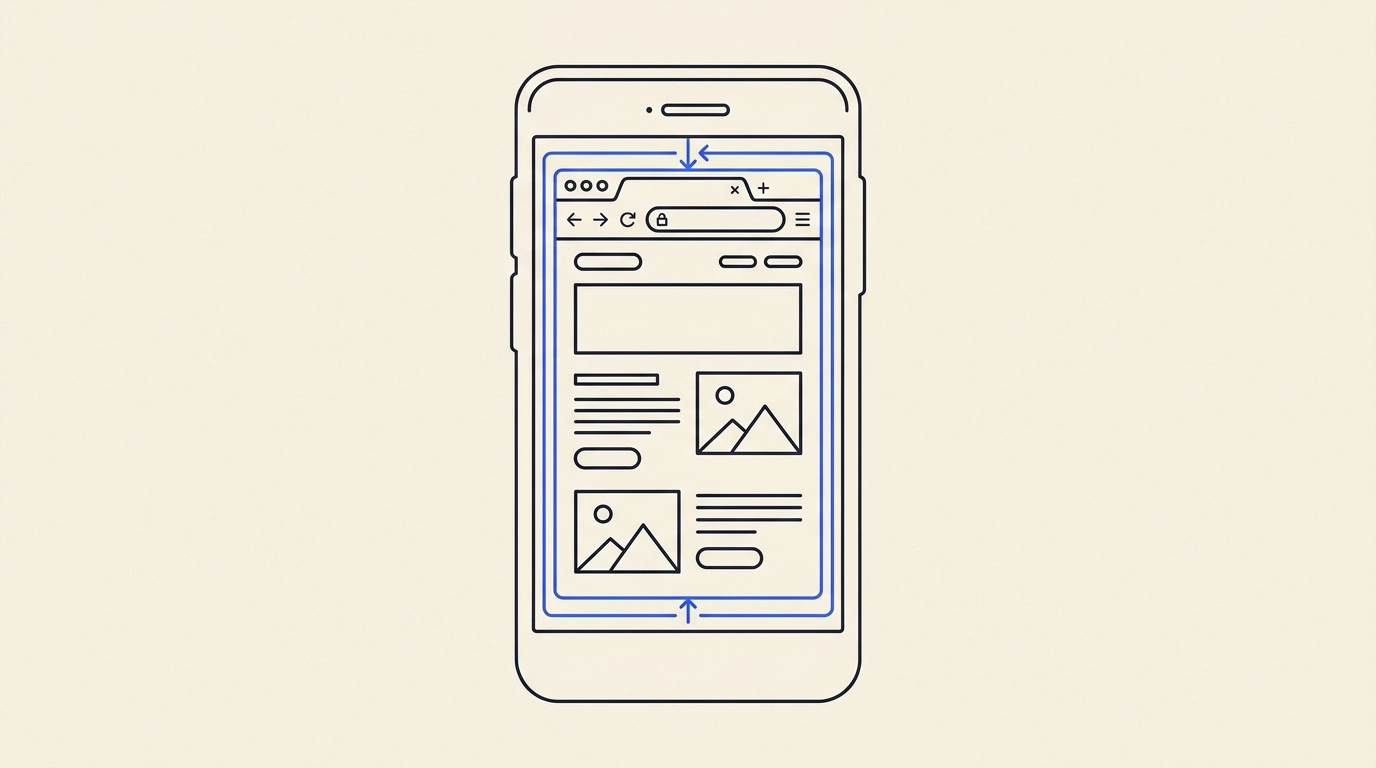
A WebView is a component built into every modern operating system that can render web pages – essentially a browser engine without the browser’s address bar, tabs, and buttons. A WebView app is a native application that uses this component to display your website inside a clean, full-screen window.
Think of it like a picture frame. The frame is the native app that users download from an app store and tap on their home screen. The picture inside is your live website. Because the frame is native, the operating system treats it like any other installed app – it gets its own icon, its own splash screen, and access to device features. Because the picture is your real website, whatever you publish online shows up in the app instantly, with no separate codebase to maintain.
How a WebView App Loads Your Live Website
The workflow is straightforward, and understanding it removes most of the mystery:
- A user installs your app from Google Play, the App Store, or a desktop download.
- When they open it, the native shell launches and points the WebView at your website’s URL.
- Your responsive site loads and renders full-screen, adapting to the phone, tablet, or desktop window.
- The user scrolls, taps, logs in, and browses exactly as they would on your site – just inside a dedicated app.
The critical thing to understand is that AppLikeWeb wraps an existing website. It does not build or generate a site for you. Your site already lives on your servers or hosting platform; the app simply becomes a native doorway to it. Update a price, publish a blog post, or fix a typo on your site, and every app user sees the change the next time they open the app – no store resubmission required.
The Pros of a WebView App for Site Owners
For most website owners, the WebView approach hits a practical sweet spot between cost, speed, and capability:
- One source of truth. You maintain your website as usual, and the app reflects it automatically. No duplicate content or parallel development.
- Fast to launch. Because you are not rebuilding your product from scratch, you can go from a live site to installable apps in a fraction of the time a ground-up native build takes.
- A real home-screen presence. An icon on someone’s phone keeps your brand one tap away – a level of visibility a bookmarked website rarely earns.
- Cross-platform reach. The same website can power Android (APK/AAB), iOS, and desktop apps for Windows, macOS, and Linux.
- Lower maintenance. Content and feature changes happen on the web, where your team already works.
The Cons and Honest Trade-offs
A WebView app is a great fit for many sites, but it is not magic. Being clear-eyed about the limits helps you set the right expectations:
- Your site needs to be responsive. The app displays your existing site, so it looks and performs only as well as that site does on mobile. A cramped, desktop-only layout will feel cramped in the app too.
- Content depends on connectivity. Since the app loads a live URL, a poor connection affects the experience much as it would in a browser.
- Deeply hardware-intensive apps may want more. For heavy 3D gaming or specialized real-time hardware work, a fully custom native build can go further – but that is a small slice of use cases.
More Than a Browser Frame: The Native Layers AppLikeWeb Adds
This is where a good WebView app pulls decisively ahead of a plain browser tab. A bare WebView just shows a page; AppLikeWeb wraps your site in a genuinely native shell and gives you controls that the web alone cannot offer:
- Firebase push notifications. Reach users directly on their device to bring them back – something a website simply cannot do on its own.
- Ad monetization. Earn revenue through advertising networks integrated into the app.
- Custom branding. Set your app name, icon, splash screen, and colors so the experience feels like your brand from the very first tap.
- Navigation behavior. Configure how the app moves between pages so it feels like an app, not a browser.
- Permissions and file handling. Enable in-app file downloads plus camera and storage permissions where your site needs them.
- Analytics. Track how people actually use the app so you can make informed decisions.
You can preview all of this live as you configure it, so there is no guessing about how the finished app will look and behave. On premium plans, you also get store-publishing assistance, including help with the Google Play Console and closed testing – the parts of shipping an app that trip up non-technical founders most often. Brands like 7VPN and PeerBerry rely on this approach to put their web experiences directly on users’ devices.
Is a WebView App Right for You?
If you already run a responsive website – a store, a service, a portal, a community, a content site – a WebView app is often the smartest way to earn a spot on your customers’ home screens without hiring a mobile development team. You keep your website as the single source of truth, and you gain native reach across mobile and desktop, complete with push notifications, monetization, custom branding, and analytics.
So the short answer to “what is a WebView app” is this: a native app that loads your live website inside a branded, feature-rich shell – giving you the reach of an app without the cost of rebuilding your product. For most website owners, that is exactly the leverage they were looking for.
Start converting your website into native apps with AppLikeWeb and see your live site running as a real app in minutes.